7 Small Business Tasks You Can Automate with AI | Automate small business tasks with AI

Which small business tasks should you hand to AI first? Want to Automate small business tasks with AI ?
If you run a small business, your day probably fills up with jobs that aren’t the real work: answering the same customer questions, writing social posts, chasing invoices, taking notes. AI won’t run the business for you, but it can take the first pass on many of these tasks so you spend your time on decisions and customers.
A simple rule for choosing what to automate: pick tasks that are repetitive, text-based and low-risk. Writing a first draft of a reply is a great fit. Deciding a refund or signing a contract is not.
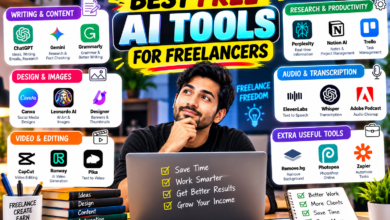
Below are seven tasks that fit, each with a sample prompt and a tool to try. Free plans are enough to start, and you can see more options in our list of free AI tools for freelancers.
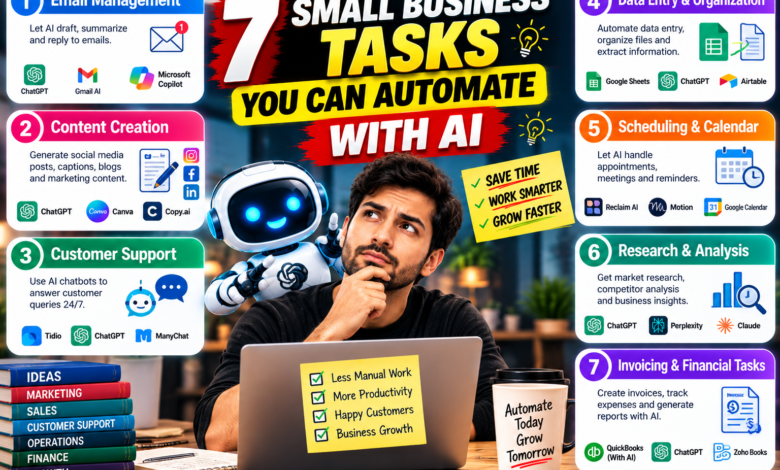
7 tasks you can automate with AI
1. Customer email replies
AI can draft replies to common questions such as shipping, pricing and appointments.
Write a friendly reply to this customer email: [paste]. Our policy is: [your policy]. Keep it under 100 words and end with a clear next step.
Try: ChatGPT, Claude or Gemini. Always read before you send.
2. Social media posts
Turn one idea into a week of posts.
Create 5 short Instagram captions for a [type of business] announcing [offer]. Tone: warm and simple. No hashtags spam, 3 hashtags max.
Try: an AI assistant for captions and Canva for the images.
3. Meeting notes and action items
Record the call (with permission), get a transcript, and ask AI for a summary.
Summarize this meeting transcript in 5 bullet points and list the action items with the person responsible.
Try: Otter or the notes feature in your video-call tool.
4. Product or service descriptions
Write a 60-word description for this product: [details]. Mention who it’s for and one clear benefit. Avoid exaggerated claims.
Add real specs yourself. AI shouldn’t invent features.
5. Invoice and payment reminders
Write a polite payment reminder for an invoice that is 7 days overdue. Keep it short and professional, and include a payment link placeholder.
Pair it with your accounting software’s built-in reminders if it has them.
6. Research on competitors and customers
Use a tool that shows sources.
List 5 competitors of a [business type] in [city or country]. For each, give the link and what they charge, if public.
Try: Perplexity, then open the sources and check the details. See how it compares in our Perplexity vs ChatGPT guide.
7. Repetitive app-to-app work
Tools like Zapier can connect apps, for example saving every new form entry to a spreadsheet and sending you an alert. Start with one simple automation and test it before relying on it.
Mistakes and privacy to watch
- Sending AI replies unread. One wrong promise to a customer can cost more than the time saved.
- Pasting private data. Don’t paste customer details, passwords or payment information into a free AI tool. Remove names and numbers first, and check the tool’s privacy settings.
- Automating too much at once. Start with one task, test it for a week, then add another.
- Letting AI invent facts. Prices, policies and product details should come from you.
- Losing your voice. Edit drafts so they sound like your business.
FAQ
What can AI automate for a small business? Mostly text-based, repetitive work: drafting emails, social posts, summaries, product descriptions and simple app workflows.
Do I need to pay for AI tools? Not to start. Free plans of the main assistants cover most of the tasks above. Upgrade only when limits slow you down.
Will AI replace my staff or my own work? It’s better treated as a fast assistant. People still make the decisions, build relationships and check the output.
Is it safe to use AI with customer data? Be careful. Avoid sensitive information and read each tool’s privacy policy. For regulated data, ask a professional first.
Pick one task from this list, try it this week, and measure how much time it saves. If it saves you even an hour, keep it and move on to the next one.
Checked October 22, 2026. Tools and free-plan limits change, so confirm on each tool’s official site.
About The Author