If you are looking for a complete beginner’s guide on
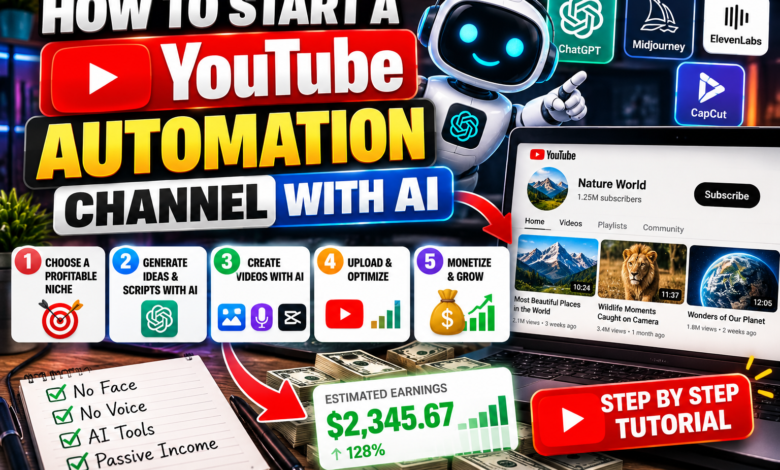
How to Start a YouTube Automation Channel with AI
you have come to the right place! YouTube automation—also known as running a faceless channel—is one of the most profitable online business models today. You don’t need expensive cameras, a studio setup, or even to show your face on screen.
Thanks to modern artificial intelligence tools, you can now write video scripts, generate realistic voiceovers, and assemble HD video clips in a fraction of the time it used to take.
In this step-by-step tutorial, we will show you How to Start a YouTube Automation Channel with AI from niche selection all the way to channel monetization.
Best Free & Paid AI Tools for YouTube Automation
Here is a quick breakdown of the AI tools you will need for each stage of video production:
| Production Stage | Recommended AI Tool | Purpose |
|---|---|---|
| Niche & Script Creation | ChatGPT / Claude | Brainstorming video ideas and writing engaging, structured scripts. |
| Voiceover Generation | ElevenLabs / Murf AI | Creating natural-sounding human AI voiceovers. |
| Video Creation & Editing | InVideo AI / CapCut / Runway | Generating B-roll footage, stock media, captions, and transitions automatically. |
| Thumbnail Design | Midjourney / Canva AI | Designing high-CTR eye-catching thumbnails. |
Step 1: Pick a High-CPM Faceless Niche
Selecting the right niche determines how much money your channel can earn per 1,000 views (CPM). Choose a topic with high advertiser demand and broad audience appeal.
- Top Profitable Niches: Finance & Crypto, Tech Reviews & Tutorials, Crime Documentaries, Luxury Lifestyle, and Science & History Mysteries.
Step 2: Generate Engaging Scripts Using ChatGPT
To keep viewers watching and boost your average view duration (AVD), your script needs a strong opening hook.
- Ask ChatGPT for 10 viral video title ideas in your chosen niche.
- Use a prompt like: “Write an engaging 1,000-word YouTube video script about [Topic]. Include a strong hook in the first 15 seconds, structured sections, and a clear call to action at the end.”
- Review the script and tweak sentences to sound natural and conversational.
Step 3: Generate Voiceover and Auto-Edit Video
Convert your script into audio using ElevenLabs for hyper-realistic voiceovers. Next, import your audio into an AI video generator like InVideo AI or CapCut.
Pro Editing Tip: Always add bold auto-captions (subtitles) and change screen visuals every 3 to 5 seconds using stock clips, image zooms, or sound effects to hold mobile viewer attention!
Frequently Asked Questions
Can AI-generated YouTube channels get monetized?
Yes! YouTube allows monetization for faceless channels as long as the content adds original value, commentary, or creative editing and avoids automated low-effort spam.
How much does it cost to start a YouTube automation channel?
You can start completely for free using ChatGPT, free CapCut desktop tools, and free stock footage sites like Pexels. Upgrading to paid AI voice tools like ElevenLabs usually costs around $5 to $15 per month.
Now that you know How to Start a YouTube Automation Channel with AI, you can pick your favorite niche and launch your first video this week! What topic are you planning to create videos on? Let us know in the comments below!
About The Author