
What is ChatGPT, and how do you start? How to Use ChatGPT for Beginners: A Simple Step-by-Step Guide
ChatGPT is an AI assistant you talk to in plain language. You type a question or a task, and it answers in seconds. It can explain topics, write emails, summarize long text, help with code and brainstorm ideas. You don’t need any technical skills to use it.
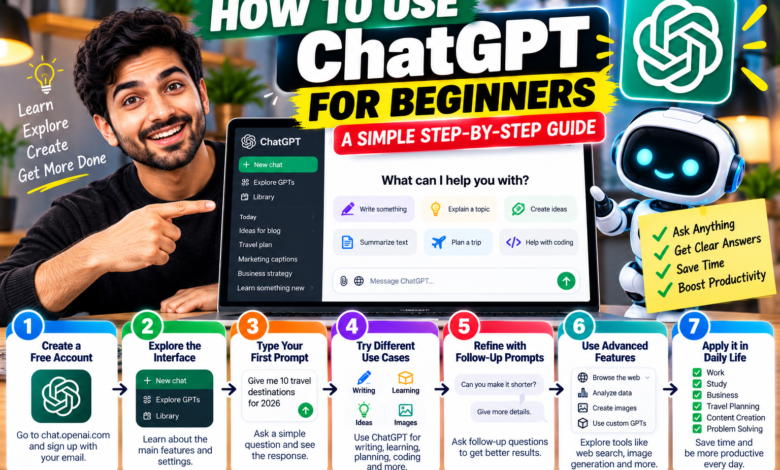
How to get started in 4 steps
- Go to the official site, chatgpt.com, or open the ChatGPT app on your phone.
- Sign up with an email address, Google account or another option the site offers.
- Type your question or task in the message box at the bottom.
- Read the answer, then reply with follow-ups such as “make it shorter” or “explain it simpler.”
There is a free plan, so you can try it before paying. Free users face usage limits, and some features have separate caps (eWeek). Paid plans such as Go and Plus raise those limits; see our Perplexity vs ChatGPT guide for pricing as of October 2026.
Think of ChatGPT as a very fast assistant that sometimes gets things wrong. The more clearly you ask, and the more carefully you check, the better results you get.
How to write a good prompt
A prompt is just your instruction. Vague prompts give vague answers. Use this simple formula:
Role + task + details + format
You are a friendly career coach. Help me write a short LinkedIn summary. I’m a graphic designer with 3 years of experience who wants freelance clients. Keep it under 80 words and use a confident tone.
If the answer isn’t right, don’t start over. Tell ChatGPT what to change: “shorter,” “more casual,” “add an example,” “explain like I’m 12.”
10 useful things to do with ChatGPT
- Explain a topic simply
Explain how credit scores work in simple words, with one example.
- Write an email
Write a polite email asking my landlord to fix the heater. Keep it short.
- Summarize text
Summarize this article in 5 bullet points: [paste text]
- Plan your week
Make a weekly study plan for 1 hour a day to learn basic Excel.
- Brainstorm ideas
Give me 10 name ideas for a small bakery. Keep them short and easy to spell.
- Improve your writing
Fix the grammar and make this paragraph clearer: [paste text]
- Prepare for an interview
Ask me 5 common interview questions for a customer service job, one at a time, and give feedback on my answers.
- Plan a trip
Suggest a 3-day itinerary for Chicago on a budget. Include a note to double-check opening hours.
- Learn a skill
Teach me the basics of Canva in 5 short lessons.
- Get coding help
Explain what this error means and how to fix it: [paste error]
For more work-focused ideas, read our guides on writing a freelance proposal with AI and automating small business tasks.
Limits and safety: what beginners should know
- It can be wrong. ChatGPT can state incorrect facts in a confident tone. Check dates, prices, health, legal and money information on official sources.
- Don’t share private data. Avoid passwords, bank details, ID numbers and other people’s private information.
- It isn’t a professional. For medical, legal or financial decisions, talk to a qualified person.
- Don’t copy blindly. For school or work, use it to learn and draft, then write in your own words. Follow your school’s or employer’s rules.
Free or paid: which should you pick?
Start free. If you hit the usage limit often, a paid plan may be worth it. Check the official ChatGPT pricing page, since plans and prices change.
Common beginner mistakes
- Writing a one-line prompt and expecting a perfect answer.
- Not giving context such as who the text is for.
- Accepting the first answer instead of asking for changes.
- Trusting every fact without checking.
FAQ
Is ChatGPT free to use? There is a free plan with usage limits. Paid plans offer more usage and features.
Do I need to download anything? No. You can use it in a web browser, and there’s also a mobile app.
Can ChatGPT browse the internet? It can search the web in supported plans and situations. Check its sources if accuracy matters.
Is it safe for kids? Adults should supervise and check the age rules in OpenAI’s terms.
What if it gives a wrong answer? Tell it what’s wrong, ask it to try again, and verify with a reliable source.
Open ChatGPT, try three of the prompts above, and change them to fit your life. The more you practice asking clearly, the more useful it becomes.
Sources
Checked October 23, 2026. Features and limits change often, so confirm on the official site.
About The Author